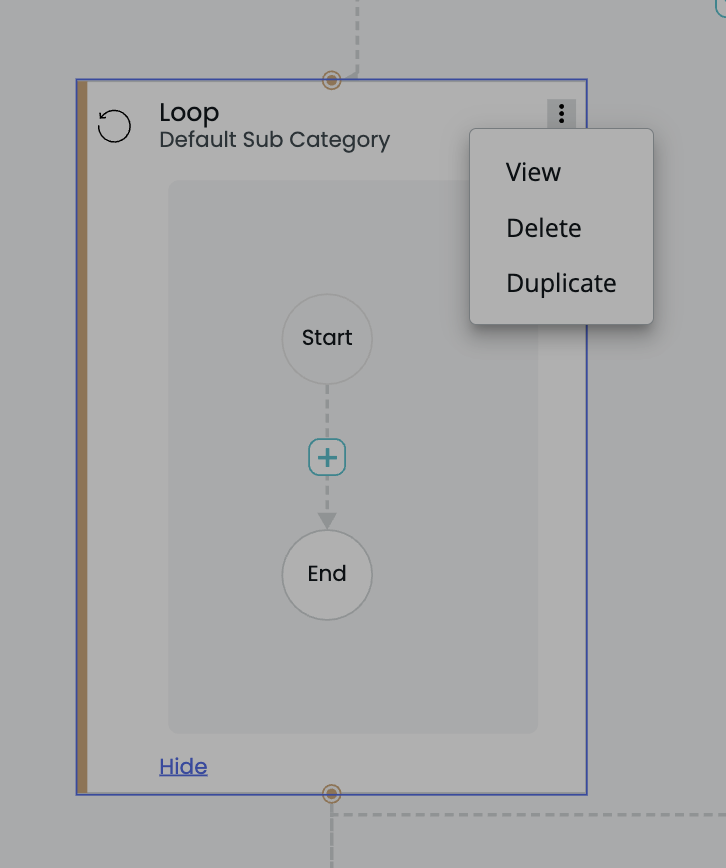
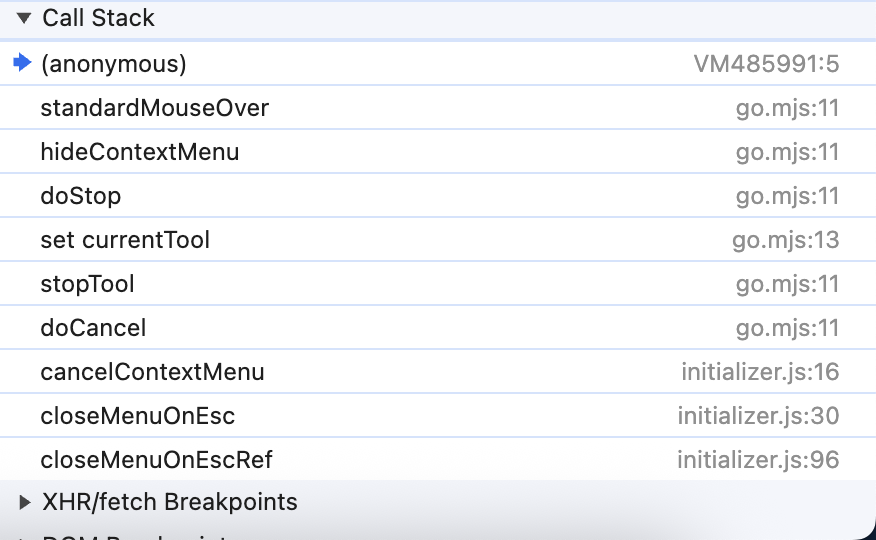
After closing the contextmenu with a doCancel, We are able to see that the nodes or links in the center of the group is triggering mouseEnter as focus moves to it. Below is the screenshot of the callstack and the Group
In the below screenshot of the group, the link present in the center is highlighted after closing the contextmenu. From the callstack it looks like the standardMouseOver is triggered right after doCancel. Can you provide a way to avoid this?
No @walter , We are using accessibility to open the context menu and event if opened using mouse it should be at the context menu button but not the center of the whole group.
Yes, ContextMenuTool.hideContextMenu hides the menu and then calls Tool.standardMouseOver.
However, in my quick test, I found that the call to Tool.standardMouseOver is using the current mouse pointer’s position in document coordinates – not the center point of context-clicked GraphObject. So I cannot explain why you are seeing that behavior.
Are you using v3.1 and its built-in accessibility support?
Ah, if you are using the v3.1 accessibility support, when the user hits the ContextMenu key or Shift-F10, the idea is to show the context menu for the current CommandHandler.focus GraphObject (or Diagram, if null). That might be far away from where the actual mouse is. So the CommandHandler creates a fake InputEvent which is at the center of the GraphObject, starts the ContextMenuTool, and executes the normal code to find and show a context menu. That includes moving the virtual pointer to middle of the first button of the context menu. Then later, when ContextMenuTool.hideContextMenu is called, after hiding the context menu, it calls Tool.standardMouseOver, and the mouse point is at the middle of the GraphObject that had the context menu.
This is sensible because the ContextMenu key is supposed to show the context menu for the currently focused GraphObject (the CommandHandler.focus), not for whatever is under the actual mouse point which might be far away or outside of the diagram altogether. Note that the virtual pointer (CommandHandler.virtualPointerLocation) is set to that point, so it is consistent with wanting to do mouseEnter and mouseLeave behavior just as when the user moves the virtual pointer around.
One solution is to override the Tool.standardMouseOver method on a subclass of ContextMenuTool to be a no-op, and replace the ToolManager.contextMenuTool with an instance of that subclass. Or do a JavaScript override when initializing the Diagram: