Links stay behind nodes after changing its zOrder

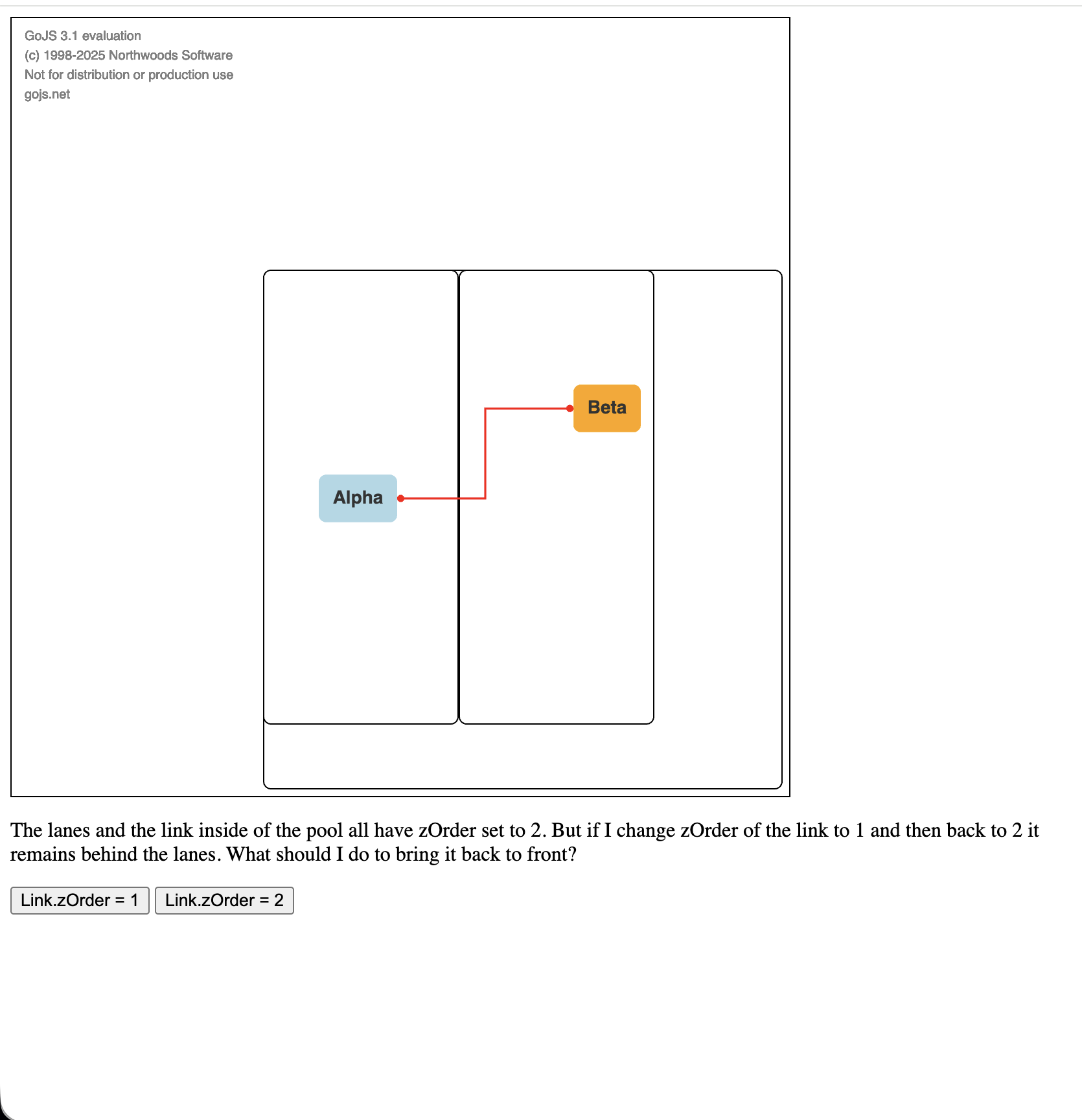
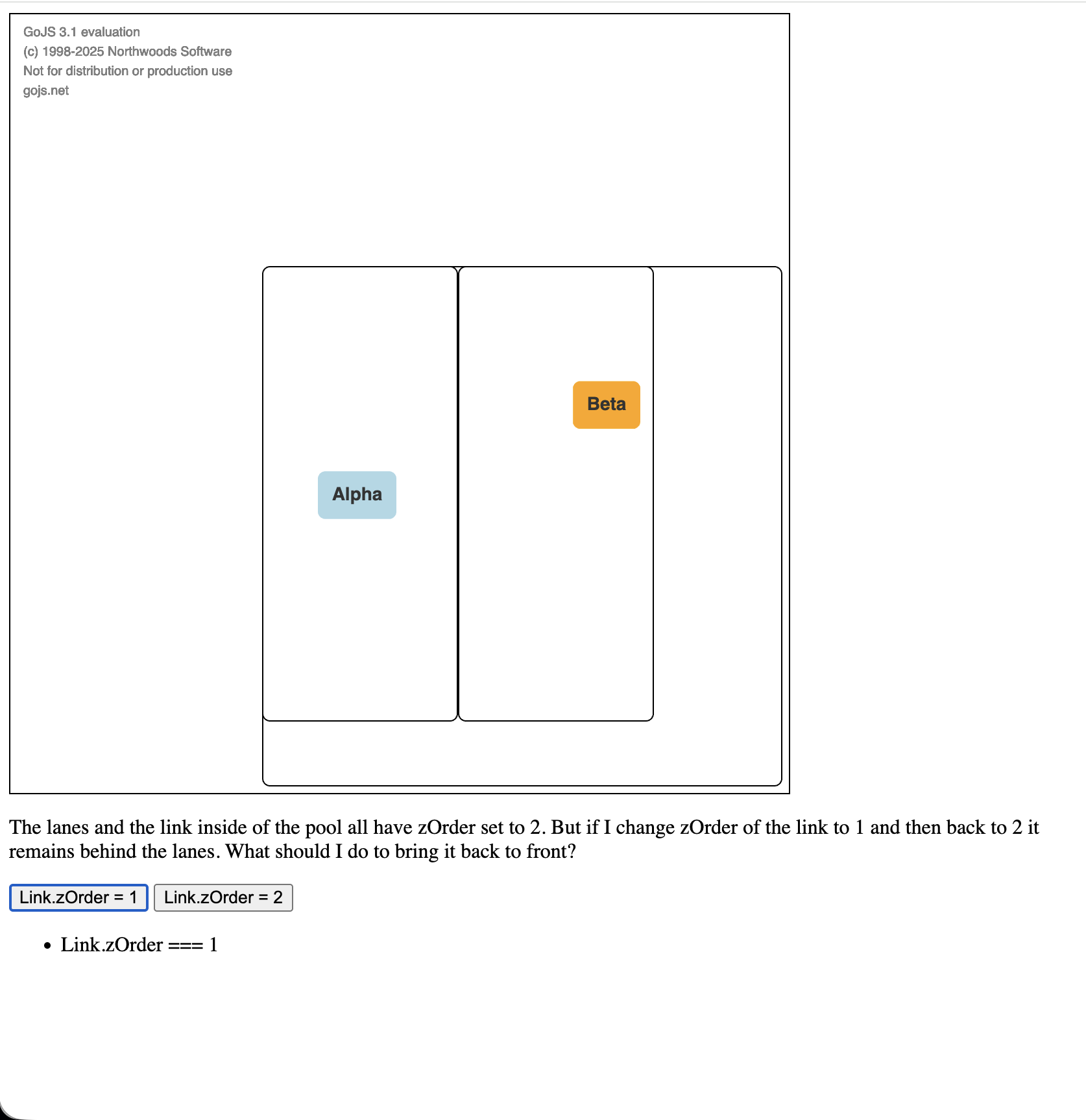
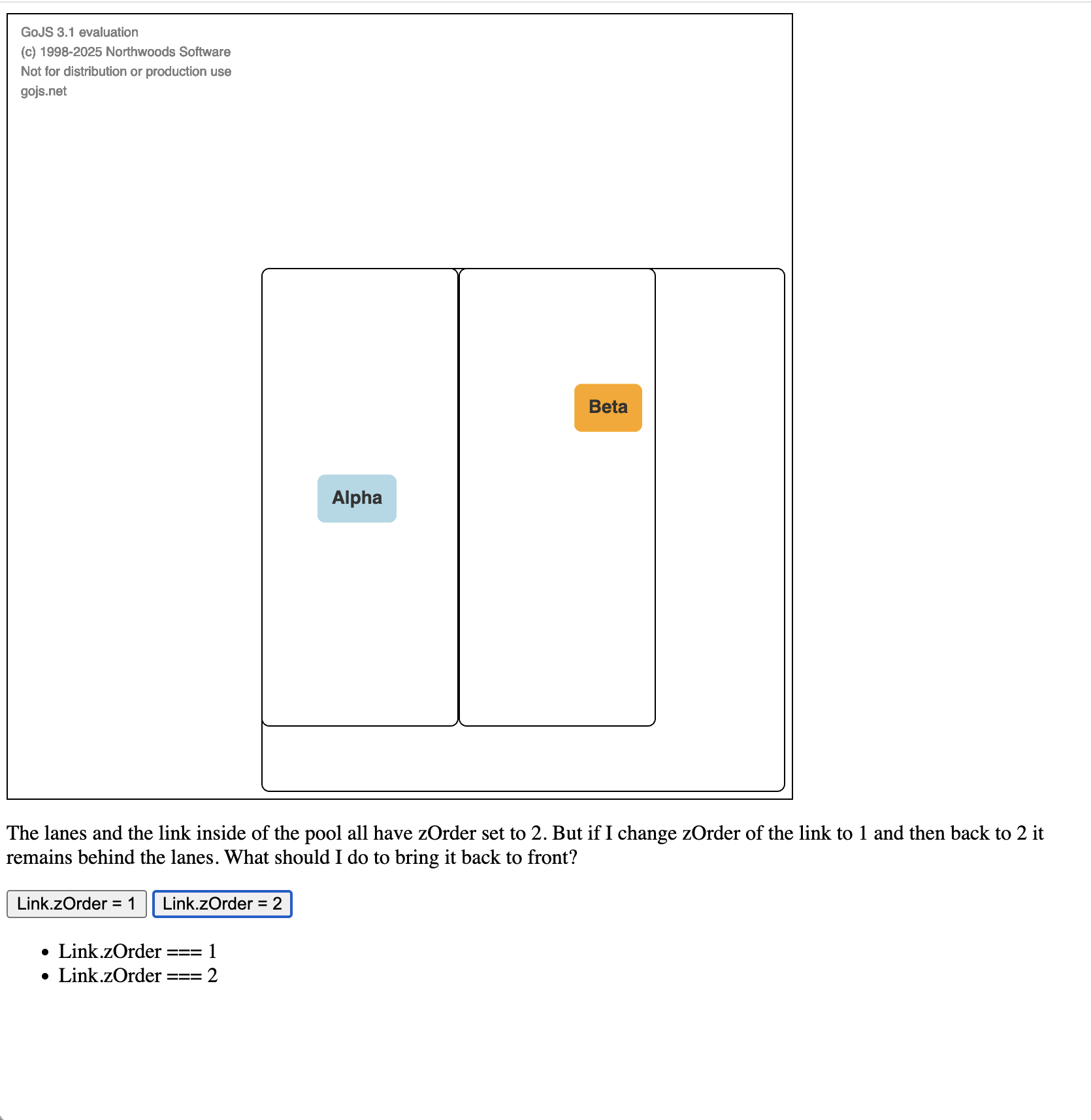
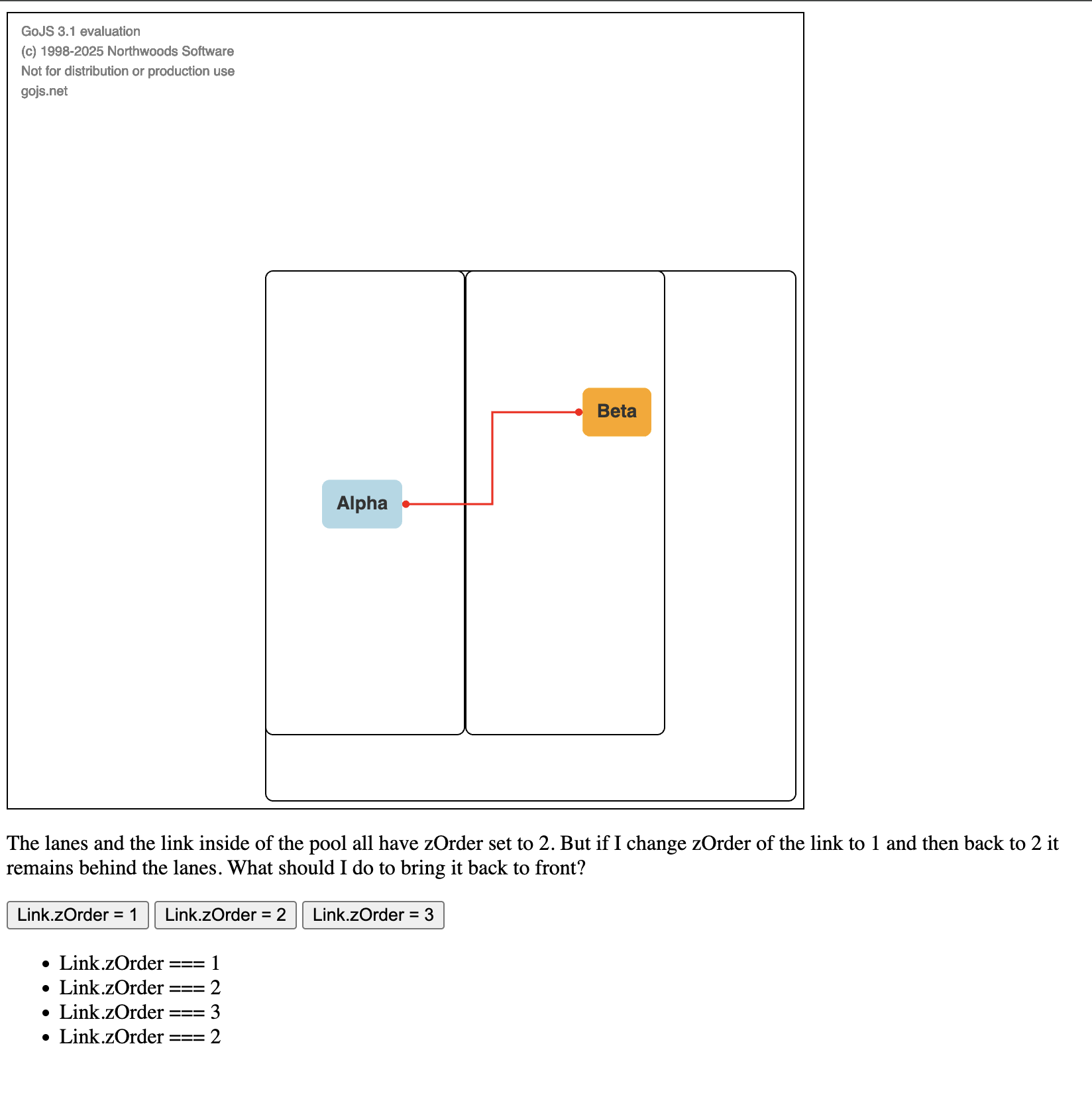
The lanes and the link inside of the pool all have zOrder set to 2. But if I change zOrder of the link to 1 and then back to 2 it remains behind the lanes. What should I do to bring it back to front?
<!DOCTYPE html>
<html lang="en">
  <body>
    <script src="https://cdn.jsdelivr.net/npm/[email protected]/release/go-debug.js"></script>
    <div id="sample" style="display: flex">
      <div
        id="diagramDiv"
        style="border: solid 1px black; width: 600px; height: 600px"
      ></div>
    </div>
    <p>
      The lanes and the link inside of the pool all have zOrder set to 2. But if
      I change zOrder of the link to 1 and then back to 2 it remains behind the
      lanes. What should I do to bring it back to front?
    </p>
    <button id="zOrder1">Link.zOrder = 1</button>
    <button id="zOrder2">Link.zOrder = 2</button>
    <ul id="log"></ul>

    <script id="code">
      const diagram = new go.Diagram("diagramDiv", {
        "animationManager.isEnabled": false,
      });

      const nodeTemplate = new go.Node("Auto")
        .bindTwoWay("location", "location", go.Point.parse, go.Point.stringify)
        .bindTwoWay("zOrder")
        .add(
          new go.Shape("RoundedRectangle", {
            strokeWidth: 0,
            fill: "white",
          }).bind("fill", "color"),
          new go.TextBlock({
            margin: 8,
            font: "bold 14px sans-serif",
            stroke: "#333",
          }).bind("text")
        );

      const poolTemplate = new go.Group("Auto", {
        layout: new go.GridLayout({
          alignment: go.GridAlignment.Position,
          comparer: (a, b) => a.position.x - b.position.x,
          spacing: new go.Size(0, 0),
          cellSize: new go.Size(0, 0),
          wrappingColumn: Infinity,
          wrappingWidth: Infinity,
          isRealtime: true,
        }),
      })
        .bindTwoWay("location", "location", go.Point.parse, go.Point.stringify)
        .bindTwoWay("zOrder")
        .add(
          new go.Shape("RoundedRectangle", {
            strokeWidth: 1,
            fill: "white",
            width: 400,
            height: 400,
          })
        );

      const laneTemplate = new go.Group("Vertical", {
        isSubGraphExpanded: true,
      })
        .bindTwoWay("location", "location", go.Point.parse, go.Point.stringify)
        .bindTwoWay("isSubGraphExpanded")
        .bindTwoWay("zOrder")
        .add(
          new go.Shape("RoundedRectangle", {
            strokeWidth: 1,
            fill: "white",
            width: 150,
            height: 350,
          }).bindObject(
            "desiredSize",
            "isSubGraphExpanded",
            (isSubGraphExpanded) =>
              isSubGraphExpanded ? new go.Size(150, 350) : new go.Size(30, 350)
          )
        );

      const linkTemplate = new go.Link({
        reshapable: true,
        resegmentable: true,
        routing: go.Routing.Orthogonal,
      })
        .bindTwoWay(
          "points",
          "points",
          (points) => points.map(go.Point.parse),
          (points) => {
            const result = points.map(go.Point.stringify).toArray();
            // console.trace(result);
            return result;
          }
        )
        .bindTwoWay("zOrder")
        .add(new go.Shape({ strokeWidth: 1.5, stroke: "red" }))
        .add(
          new go.Shape({
            strokeWidth: 0,
            fill: "red",
            scale: 0.7,
            fromArrow: "circle",
          })
        )
        .add(
          new go.Shape({
            strokeWidth: 0,
            fill: "red",
            scale: 0.7,
            toArrow: "circle",
          })
        );

      diagram.nodeTemplate = nodeTemplate;
      diagram.groupTemplateMap.add("Pool", poolTemplate);
      diagram.groupTemplateMap.add("Lane", laneTemplate);
      diagram.linkTemplate = linkTemplate;

      const nodes = [
        {
          key: "P",
          isGroup: true,
          category: "Pool",
          location: "31.24609375 -0.3515625",
          zOrder: 1,
        },
        {
          key: "L1",
          group: "P",
          isGroup: true,
          category: "Lane",
          location: "31.24609375 -0.3515625",
          zOrder: 2,
        },
        {
          key: "L2",
          group: "P",
          isGroup: true,
          category: "Lane",
          location: "62.24609375 -0.3515625",
          zOrder: 2,
        },
        {
          key: "N1",
          group: "L1",
          text: "Alpha",
          color: "lightblue",
          location: "74.30859375 157.82421875",
          zOrder: 3,
        },
        {
          key: "N2",
          group: "L2",
          text: "Beta",
          color: "orange",
          location: "150.8359375 88.375",
          zOrder: 3,
        },
      ];

      const links = [
        {
          from: "N1",
          to: "N2",
          zOrder: 2,
        },
      ];

      diagram.model = new go.GraphLinksModel([], []);

      setTimeout(() => {
        diagram.model.addNodeDataCollection(nodes);
        diagram.model.addLinkDataCollection(links);
      });

      const log = document.getElementById("log");

      document.getElementById("zOrder1").addEventListener("click", () => {
        const link = [...diagram.links][0];
        diagram.commit(() => {
          link.zOrder = 1;
        });
        const li = document.createElement("li");
        li.innerText = `Link.zOrder === ${link.zOrder}`;
        log.appendChild(li);
      });
      document.getElementById("zOrder2").addEventListener("click", () => {
        const link = [...diagram.links][0];
        diagram.commit(() => {
          link.zOrder = 2;
        });
        const li = document.createElement("li");
        li.innerText = `Link.zOrder === ${link.zOrder}`;
        log.appendChild(li);
      });
    </script>
  </body>
</html>
Why not use a different value of zOrder for the lanes?

Or use Layers instead – one for all hidden Links, one for pools and lane Groups, one for all Links, one for all Nodes? You could use the predefined “Background” and ““ for two of those types.

By the way, this is much easier and faster and less garbage producing:

const link = diagram.links.first();

than:

const link = [...diagram.links][0];

The project is pretty complex. It’s all on a single layer and I cannot rebuild that now. I guess I could use other zOrder but I also don’t want to rebuild project’s zOrder implementation. To me it looks like a GoJS issue. I guess I should now increase zOrder of the link by two to make it visible and then decrease it by one so that it’s back to what it was. Though I’d like to avoid this kind of hacks. Is it really how GoJS is expected to work?

<!DOCTYPE html>
<html lang="en">
  <body>
    <script src="https://cdn.jsdelivr.net/npm/[email protected]/release/go-debug.js"></script>
    <div id="sample" style="display: flex">
      <div
        id="diagramDiv"
        style="border: solid 1px black; width: 600px; height: 600px"
      ></div>
    </div>
    <p>
      The lanes and the link inside of the pool all have zOrder set to 2. But if
      I change zOrder of the link to 1 and then back to 2 it remains behind the
      lanes. What should I do to bring it back to front?
    </p>
    <button id="zOrder1">Link.zOrder = 1</button>
    <button id="zOrder2">Link.zOrder = 2</button>
    <button id="zOrder3">Link.zOrder = 3</button>
    <ul id="log"></ul>

    <script id="code">
      const diagram = new go.Diagram("diagramDiv", {
        "animationManager.isEnabled": false,
      });

      const nodeTemplate = new go.Node("Auto")
        .bindTwoWay("location", "location", go.Point.parse, go.Point.stringify)
        .bindTwoWay("zOrder")
        .add(
          new go.Shape("RoundedRectangle", {
            strokeWidth: 0,
            fill: "white",
          }).bind("fill", "color"),
          new go.TextBlock({
            margin: 8,
            font: "bold 14px sans-serif",
            stroke: "#333",
          }).bind("text")
        );

      const poolTemplate = new go.Group("Auto", {
        layout: new go.GridLayout({
          alignment: go.GridAlignment.Position,
          comparer: (a, b) => a.position.x - b.position.x,
          spacing: new go.Size(0, 0),
          cellSize: new go.Size(0, 0),
          wrappingColumn: Infinity,
          wrappingWidth: Infinity,
          isRealtime: true,
        }),
      })
        .bindTwoWay("location", "location", go.Point.parse, go.Point.stringify)
        .bindTwoWay("zOrder")
        .add(
          new go.Shape("RoundedRectangle", {
            strokeWidth: 1,
            fill: "white",
            width: 400,
            height: 400,
          })
        );

      const laneTemplate = new go.Group("Vertical", {
        isSubGraphExpanded: true,
      })
        .bindTwoWay("location", "location", go.Point.parse, go.Point.stringify)
        .bindTwoWay("isSubGraphExpanded")
        .bindTwoWay("zOrder")
        .add(
          new go.Shape("RoundedRectangle", {
            strokeWidth: 1,
            fill: "white",
            width: 150,
            height: 350,
          }).bindObject(
            "desiredSize",
            "isSubGraphExpanded",
            (isSubGraphExpanded) =>
              isSubGraphExpanded ? new go.Size(150, 350) : new go.Size(30, 350)
          )
        );

      const linkTemplate = new go.Link({
        reshapable: true,
        resegmentable: true,
        routing: go.Routing.Orthogonal,
      })
        .bindTwoWay(
          "points",
          "points",
          (points) => points.map(go.Point.parse),
          (points) => {
            const result = points.map(go.Point.stringify).toArray();
            // console.trace(result);
            return result;
          }
        )
        .bindTwoWay("zOrder")
        .add(new go.Shape({ strokeWidth: 1.5, stroke: "red" }))
        .add(
          new go.Shape({
            strokeWidth: 0,
            fill: "red",
            scale: 0.7,
            fromArrow: "circle",
          })
        )
        .add(
          new go.Shape({
            strokeWidth: 0,
            fill: "red",
            scale: 0.7,
            toArrow: "circle",
          })
        );

      diagram.nodeTemplate = nodeTemplate;
      diagram.groupTemplateMap.add("Pool", poolTemplate);
      diagram.groupTemplateMap.add("Lane", laneTemplate);
      diagram.linkTemplate = linkTemplate;

      const nodes = [
        {
          key: "P",
          isGroup: true,
          category: "Pool",
          location: "31.24609375 -0.3515625",
          zOrder: 1,
        },
        {
          key: "L1",
          group: "P",
          isGroup: true,
          category: "Lane",
          location: "31.24609375 -0.3515625",
          zOrder: 2,
        },
        {
          key: "L2",
          group: "P",
          isGroup: true,
          category: "Lane",
          location: "62.24609375 -0.3515625",
          zOrder: 2,
        },
        {
          key: "N1",
          group: "L1",
          text: "Alpha",
          color: "lightblue",
          location: "74.30859375 157.82421875",
          zOrder: 3,
        },
        {
          key: "N2",
          group: "L2",
          text: "Beta",
          color: "orange",
          location: "150.8359375 88.375",
          zOrder: 3,
        },
      ];

      const links = [
        {
          from: "N1",
          to: "N2",
          zOrder: 2,
        },
      ];

      diagram.model = new go.GraphLinksModel([], []);

      setTimeout(() => {
        diagram.model.addNodeDataCollection(nodes);
        diagram.model.addLinkDataCollection(links);
      });

      const log = document.getElementById("log");

      document.getElementById("zOrder1").addEventListener("click", () => {
        const link = [...diagram.links][0];
        diagram.commit(() => {
          link.zOrder = 1;
        });
        const li = document.createElement("li");
        li.innerText = `Link.zOrder === ${link.zOrder}`;
        log.appendChild(li);
      });
      document.getElementById("zOrder2").addEventListener("click", () => {
        const link = [...diagram.links][0];
        diagram.commit(() => {
          link.zOrder = 2;
        });
        const li = document.createElement("li");
        li.innerText = `Link.zOrder === ${link.zOrder}`;
        log.appendChild(li);
      });
      document.getElementById("zOrder3").addEventListener("click", () => {
        const link = [...diagram.links][0];
        diagram.commit(() => {
          link.zOrder = 3;
        });
        const li = document.createElement("li");
        li.innerText = `Link.zOrder === ${link.zOrder}`;
        log.appendChild(li);
      });
    </script>
  </body>
</html>

Yes, the design is that all Parts with the same zOrder may be visually presented in any order. If you really want A to be behind B, they either need to be in different Layers or have different zOrder values in the same Layer.

Shouldn’t the parts on the same level at least appear in the same order as they are in the model?

No, that’s never been guaranteed (assuming same Layer and same zOrder).

I just checked – we added Part.zOrder in version 1.6, which came out in 2016.

Still, increasing and then decreasing zOrder seems to restore the model order. Maybe you already have it in the code but it’s just unfinished?

Sorting by Part.zOrder is independent of the order of the data in the model. We have thought about replacing the Model.nodeDataArray with a Set, or having that as an alternative data source. That would also emphasize that the order in the Array isn’t guaranteed to reflect the z-ordering. Or layout ordering.