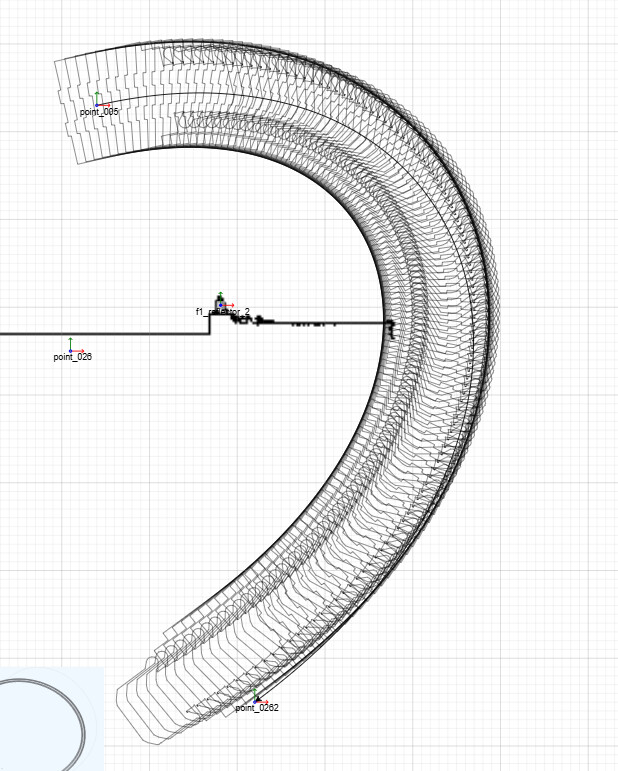
I’m not sure I understand the situation. Are you replacing the Shape.geometry of Link.path Shape, or of a label on the Link?
The former conflicts with the normal geometry computations given the link’s route (Link.points). So I’m guessing you are doing the latter, using a Shape that is at the midpoint of the link. Remember that the coordinate system of the Shape’s Geometry is local to itself, effectively offset by the position of that Shape in the Link Panel.
But I notice that your processPolygon function depends on lat/long values. Here’s a variation of the Leaflet sample ( Geographic Diagram in Front of Leaflet.js Map | GoJS Diagramming Library ) that let’s the user manually modify any link route. The model’s link data’s “route” property is an Array of Objects with “lat”, “long” values.
<!DOCTYPE html>
<html>
<body>
<script src="https://cdn.jsdelivr.net/npm/gojs/release/go.js"></script>
<link rel="stylesheet" href="https://cdn.jsdelivr.net/npm/[email protected]/dist/leaflet.css" />
<script src="https://cdn.jsdelivr.net/npm/[email protected]/dist/leaflet.js"></script>
<style type="text/css">
/* CSS applied to the Leaflet map */
.mapDiagram {
border: solid 1px black;
width: 500px;
height: 500px;
}
#myDiagramDiv {
z-index: 701;
}
</style>
<script id="code">
function init() {
/* Leaflet init */
const defaultZoom = 6;
const defaultOrigin = [50.02185841773444, 0.15380859375];
myLeafletMap = L.map('map', {}).setView(defaultOrigin, defaultZoom);
L.tileLayer(
'https://api.mapbox.com/styles/v1/{id}/tiles/{z}/{x}/{y}?access_token={accessToken}',
{
attribution:
'© <a href="https://www.mapbox.com/about/maps/">Mapbox</a> © <a href="http://www.openstreetmap.org/copyright">OpenStreetMap</a>',
maxZoom: 18,
minZoom: 2,
tileSize: 512,
zoomOffset: -1,
id: 'mapbox/streets-v11',
// NOTE: use your own MapBox token
accessToken:
'pk.eyJ1IjoiZ29qcyIsImEiOiJjbHMyN3QxcnIwZ2ZoMmxvMzVvNGg3MTRrIn0.8u9prGrtYU2zmuFhxsr76g',
}
).addTo(myLeafletMap);
myLeafletMap.on('zoomend', updateNodes);
myLeafletMap.on('move', updatePosition);
myLeafletMap.on('moveend', updatePosition);
let myUpdatingGoJS = false; // prevent modifying data.latlong properties upon Leaflet "move" events
function updateNodes() {
// called when zoom level has changed
myUpdatingGoJS = true;
myDiagram.commit(diag => {
diag.nodes.each(n => n.updateTargetBindings('latlong')); // without virtualization this can be slow if there are many nodes
diag.links.each(l => l.updateTargetBindings('route'));
}, null);
myUpdatingGoJS = false;
}
function updatePosition() {
// called when map has been panned (i.e. top-left corner is at a different latlong)
const mapb = myLeafletMap.getBounds();
const pos = myLeafletMap.project(
[mapb.getNorth(), mapb.getWest()],
myLeafletMap.getZoom()
);
myDiagram.position = new go.Point(pos.x, pos.y);
}
/* GoJS init */
myDiagram = new go.Diagram('myDiagramDiv', {
InitialLayoutCompleted: e => updatePosition(),
'dragSelectingTool.isEnabled': false,
'animationManager.isEnabled': false,
scrollMode: go.ScrollMode.Infinite,
allowZoom: false,
allowHorizontalScroll: false,
allowVerticalScroll: false,
hasHorizontalScrollbar: false,
hasVerticalScrollbar: false,
padding: 0,
defaultCursor: 'default',
'toolManager.hoverDelay': 100, // how quickly tooltips are shown
'undoManager.isEnabled': true,
ModelChanged: e => {
if (e.change === go.ChangeType.Transaction &&
(e.propertyName === 'FinishedUndo' ||
e.propertyName === 'FinishedRedo')) {
setTimeout(() => updateNodes());
}
},
});
// the node template describes how each Node should be constructed
myDiagram.nodeTemplate =
new go.Node('Auto', {
locationSpot: go.Spot.Center,
cursor: 'pointer',
toolTip: go.GraphObject.build('ToolTip')
.add(
new go.TextBlock({ margin: 4, textAlign: 'center' })
.bind('text', '', d =>
`${d.key}\n[${d.latlong[0].toFixed(6)}, ${d.latlong[1].toFixed(6)}]`)
)
})
// A two-way data binding with an Array of latitude,longitude numbers.
// We have to explicitly avoid updating the source data Array
// when myUpdatingGoJS is true; otherwise there would be accumulating errors.
.bindTwoWay('location', 'latlong',
data => {
const pos = myLeafletMap.project(data, myLeafletMap.getZoom());
return new go.Point(pos.x, pos.y);
},
(pt, data) => {
if (myUpdatingGoJS) {
return data.latlong; // no-op
} else {
const ll = myLeafletMap.unproject(
L.point(pt.x, pt.y),
myLeafletMap.getZoom()
);
return [ll.lat, ll.lng];
}
})
.add(
new go.Shape('Circle', {
fill: 'rgba(0, 255, 0, .4)',
stroke: '#082D47',
strokeWidth: 1,
width: 7,
height: 7,
})
);
function convertRouteToPoints(route, link) {
const points = new go.List();
route.forEach(p => {
const pos = myLeafletMap.project(
[p.lat, p.long],
myLeafletMap.getZoom()
);
points.add(new go.Point(pos.x, pos.y));
});
return points;
}
function convertPointsToRoute(points, data, model) {
if (myUpdatingGoJS) {
return data.route; // no-op
} else {
const route = [];
points.each(p => {
const ll = myLeafletMap.unproject(
L.point(p.x, p.y),
myLeafletMap.getZoom()
);
route.push({ lat: ll.lat, long: ll.lng });
});
model.set(data, 'route', route);
return route;
}
}
myDiagram.linkTemplate =
new go.Link({
layerName: 'Background',
adjusting: go.Link.Stretch,
//curve: go.Curve.Bezier, curviness: 5,
reshapable: true,
resegmentable: true,
toolTip: go.GraphObject.build('ToolTip')
.add(
new go.TextBlock({ margin: 4, textAlign: 'center' })
.bind('text', '', d => `${d.from} -- ${d.to}`)
)
})
.bind('points', 'route', convertRouteToPoints, convertPointsToRoute)
.add(
new go.Shape({ strokeWidth: 3, stroke: 'rgba(100,100,255,.7)' })
);
// DraggingTool needs to disable panning of Leaflet map
myDiagram.toolManager.draggingTool.doActivate = function () { // method override must be function, not =>
myLeafletMap.dragging.disable();
go.DraggingTool.prototype.doActivate.call(this);
};
myDiagram.toolManager.draggingTool.doDeactivate = function () { // method override must be function, not =>
myLeafletMap.dragging.enable();
go.DraggingTool.prototype.doDeactivate.call(this);
};
// create the model data that will be represented by Nodes and Links
myDiagram.model = new go.GraphLinksModel(
[
// France
{ key: 'Paris', latlong: [48.876569, 2.359017] },
{ key: 'Brest', latlong: [48.387778, -4.479921] },
{ key: 'Rennes', latlong: [48.103375, -1.672809] },
{ key: 'Le Mans', latlong: [47.995562, 0.192413] },
{ key: 'Nantes', latlong: [47.217579, -1.541839] },
{ key: 'Tours', latlong: [47.388502, 0.6945] },
{ key: 'Le Havre', latlong: [49.492755, 0.125278] },
{ key: 'Rouen', latlong: [49.449031, 1.094128] },
{ key: 'Lille', latlong: [50.636379, 3.07062] },
// Belgium
{ key: 'Brussels', latlong: [50.836271, 4.333963] },
{ key: 'Antwerp', latlong: [51.217495, 4.421204] },
{ key: 'Liege', latlong: [50.624168, 5.566008] },
// UK
{ key: 'London', latlong: [51.531132, -0.125132] },
{ key: 'Bristol', latlong: [51.449541, -2.581118] },
{ key: 'Birmingham', latlong: [52.477405, -1.898494] },
{ key: 'Liverpool', latlong: [53.408396, -2.978809] },
{ key: 'Manchester', latlong: [53.476346, -2.229651] },
{ key: 'Leeds', latlong: [53.79548, -1.548345] },
{ key: 'Glasgow', latlong: [55.863287, -4.250989] },
],
[
{ from: 'Brest', to: 'Rennes' },
{ from: 'Rennes', to: 'Le Mans' },
{ from: 'Nantes', to: 'Le Mans' },
{ from: 'Le Mans', to: 'Paris' },
{ from: 'Tours', to: 'Paris' },
{ from: 'Le Havre', to: 'Rouen' },
{ from: 'Rouen', to: 'Paris' },
{
from: 'Lille',
to: 'Paris',
route: [
{ lat: 50.636379, long: 3.07062 },
{ lat: 50.5, long: 2.9 },
{ lat: 50.4, long: 2.8 },
{ lat: 50.3, long: 2.7 },
{ lat: 50.2, long: 2.6 },
{ lat: 50.1, long: 2.5 },
{ lat: 50.0, long: 2.4 },
{ lat: 49.9, long: 2.53 },
{ lat: 49.8, long: 2.2 },
{ lat: 49.7, long: 2.1 },
{ lat: 49.6, long: 2.0 },
{ lat: 49.5, long: 2.1 },
{ lat: 49.4, long: 2.2 },
{ lat: 49.3, long: 2.3 },
{ lat: 49.2, long: 2.4 },
{ lat: 49.1, long: 2.3 },
{ lat: 49.0, long: 2.32 },
{ lat: 48.876569, long: 2.359017 },
],
},
{ from: 'London', to: 'Lille' },
{ from: 'Lille', to: 'Brussels' },
{ from: 'Brussels', to: 'Antwerp' },
{ from: 'Brussels', to: 'Liege' },
{ from: 'Bristol', to: 'London' },
{ from: 'Birmingham', to: 'London' },
{ from: 'Leeds', to: 'London' },
{ from: 'Liverpool', to: 'Birmingham' },
{ from: 'Manchester', to: 'Liverpool' },
{ from: 'Manchester', to: 'Leeds' },
{ from: 'Glasgow', to: 'Manchester' },
{ from: 'Glasgow', to: 'Leeds' },
]
);
} // end init
window.addEventListener('DOMContentLoaded', init);
</script>
<div id="sample">
<div id="map" class="mapDiagram">
<div id="myDiagramDiv" class="mapDiagram"></div>
</div>
<p>
This sample integrates GoJS as a layer in front of the
<a href="https://leafletjs.com/">Leaflet mapping library</a>. This
demonstrates how to use GoJS within a GIS application by displaying a
Diagram of nodes and links atop the map, using latitude and longitude
for their coordinates.
</p>
<p>
You can pan and zoom with Leaflet, and select and drag with GoJS. The
GoJS div is on top of the Leaflet map, but this sample selectively
bubbles events to leaflet by using a custom Tool. Dragged nodes will
update their latitude and longitude data in the <a>Diagram.model</a>.
</p>
<p>
This diagram displays a few train stations and routes in France,
Belgium, and the UK. The data is only meant as an example of using GoJS
and is not meant to be accurate.
</p>
<p>
Note that the map is fetched through the
<a href="https://mapbox.com/">Mapbox</a> API. Access tokens can expire,
and you'll need to get your own token.
</p>
</div>
</body>
</html>